Phishing Resilience: A 7-Step Guide for U.S. Remote Workers to Avoid 2026 Scams
Anúncios
Phishing Resilience: A 7-Step Guide for U.S. Remote Workers to Avoid 2026 Scams
The landscape of work has irrevocably shifted, with remote work becoming a cornerstone of the modern U.S. economy. While this offers unparalleled flexibility and numerous benefits, it also introduces a heightened vulnerability to cyber threats, particularly phishing. As we approach 2026, phishing attacks are becoming increasingly sophisticated, leveraging AI, social engineering, and advanced techniques to bypass traditional defenses. For U.S. remote workers, developing robust Phishing Resilience Remote Workers strategies is no longer optional; it’s an absolute necessity. This comprehensive guide will walk you through seven crucial steps to fortify your digital defenses, ensuring you can identify, avoid, and report phishing attempts effectively.
Anúncios
Understanding the Evolving Threat Landscape for U.S. Remote Workers
Before diving into specific countermeasures, it’s vital to grasp why phishing remains such a pervasive and dangerous threat, especially for U.S. remote workers. The decentralization of the workforce means that traditional perimeter-based security models are less effective. Attackers exploit this by targeting individuals directly, often leveraging personal information gleaned from social media or data breaches to craft highly personalized and convincing phishing emails, known as spear phishing. In 2026, we can expect to see even more advanced tactics:
- AI-Powered Phishing: Generative AI can craft grammatically perfect, contextually relevant emails that are virtually indistinguishable from legitimate communications. This makes identifying fake emails incredibly challenging.
- Deepfake Voice and Video Phishing (Vishing/Smishing): Attackers can use deepfake technology to impersonate colleagues, supervisors, or even family members in voice calls or video conferences, tricking remote workers into revealing sensitive information or transferring funds.
- Ransomware-as-a-Service (RaaS) Integration: Phishing often serves as the initial vector for ransomware attacks. A single click on a malicious link can lead to the encryption of an entire company’s network, with remote workers’ devices being prime entry points.
- Supply Chain Attacks: Phishing emails might originate from a compromised vendor or partner, making them appear legitimate even to a careful observer.
The financial and reputational costs of a successful phishing attack can be catastrophic, ranging from direct financial losses and data breaches to compliance penalties and significant downtime. Therefore, enhancing Phishing Resilience Remote Workers skills is paramount for every individual operating outside a traditional office environment.
Step 1: Master the Art of Email Scrutiny – Beyond the Obvious
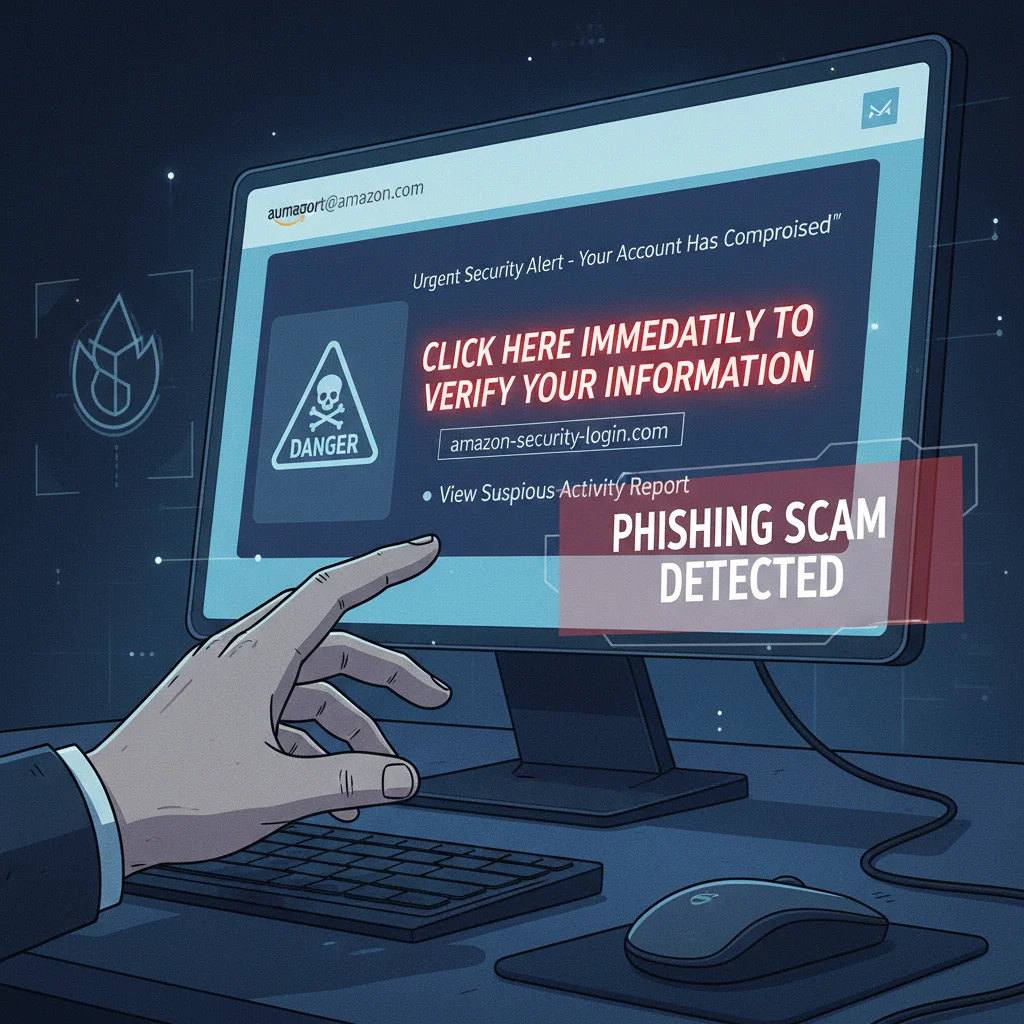
The first line of defense against phishing is vigilant email scrutiny. While many people know to look for spelling errors, modern phishing attempts are far more subtle. Here’s how U.S. remote workers can elevate their email inspection game:
Anúncios
Check the Sender’s Email Address Meticulously
Don’t just glance at the display name. Hover over it (without clicking!) to reveal the actual email address. Look for:
- Mismatches: Does ‘[email protected]’ actually come from ‘[email protected]’?
- Subtle Typos (Typosquatting): ‘micr0soft.com’ instead of ‘microsoft.com’, or ‘gooogle.com’ instead of ‘google.com’.
- Unusual Domains: If an email claiming to be from your bank uses a generic domain like Gmail or Outlook, it’s a huge red flag.
- Reply-To Address: Sometimes the ‘From’ address looks legitimate, but the ‘Reply-To’ address is different and suspicious. Always check both.
Analyze Hyperlinks Before Clicking
This is arguably the most critical step for Phishing Resilience Remote Workers. Malicious links are the gateway to malware, credential harvesting sites, and other threats. Always hover over any link to see the true destination URL before clicking. Ask yourself:
- Does the URL match the context? If the email is from your bank, but the link points to a non-bank domain, it’s suspicious.
- Look for unusual characters or long strings: Legitimate URLs are usually clean and straightforward.
- Check for HTTP vs. HTTPS: While HTTPS doesn’t guarantee legitimacy, its absence for a site requesting credentials is a major warning sign.
- Use a Link Scanner: If you’re unsure, copy the link (without clicking!) and paste it into a reputable link scanner service.
Evaluate the Email Content and Tone
- Urgency and Threats: Phishing emails often create a sense of panic, demanding immediate action to avoid negative consequences (e.g., account suspension, legal action, missed payments).
- Generic Greetings: If an email from a supposed financial institution or service provider addresses you as ‘Dear Customer’ instead of your name, be wary.
- Unusual Requests: Be suspicious of requests for personal information, login credentials, or financial details via email. Legitimate organizations rarely ask for this.
- Poor Grammar and Spelling: While AI is making these less common, they still appear in less sophisticated attacks.
- Attachments: Never open unexpected attachments, especially if they are executables (.exe), script files (.js), or compressed files (.zip).
Step 2: Implement Multi-Factor Authentication (MFA) Everywhere
Even if a phisher manages to steal your password, MFA can stop them dead in their tracks. Multi-Factor Authentication (also known as Two-Factor Authentication or 2FA) adds an extra layer of security by requiring a second form of verification beyond just your password. This could be:
- Something you have: A code from a smartphone app (like Google Authenticator or Authy), a hardware security key (YubiKey), or a text message (SMS).
- Something you are: A fingerprint, facial scan, or other biometric data.
For U.S. remote workers, enabling MFA on all critical accounts – email, banking, social media, corporate VPNs, and cloud services – is non-negotiable. Even if your password is compromised in a phishing attack, the attacker won’t be able to log in without that second factor. This significantly boosts your Phishing Resilience Remote Workers efforts.
Step 3: Keep Software and Operating Systems Updated
Software vulnerabilities are a common entry point for cybercriminals. Developers constantly release patches and updates to fix these security flaws. Neglecting updates leaves you exposed. For U.S. remote workers, this means:
- Operating System (OS) Updates: Ensure your Windows, macOS, or Linux operating system is always up-to-date. Enable automatic updates if possible.
- Browser Updates: Your web browser is your primary interface with the internet. Keep Chrome, Firefox, Edge, or Safari updated to benefit from the latest security features.
- Application Updates: Any software you use for work, from productivity suites (Microsoft Office, Adobe Creative Suite) to communication tools (Slack, Zoom), should be regularly updated.
- Antivirus/Anti-Malware Software: Ensure your security software is active, up-to-date, and running regular scans.
Failing to update creates easily exploitable gaps that phishing attacks can leverage to install malware or gain unauthorized access. A proactive approach to software hygiene is a cornerstone of strong Phishing Resilience Remote Workers.
Step 4: Secure Your Home Network
Your home network is your office perimeter. A weak home network can undermine all other security measures. Remote workers must take steps to secure their Wi-Fi:
- Change Default Router Credentials: The first thing to do is change the default username and password for your router. These are often publicly known and easily exploited.
- Use Strong Wi-Fi Encryption: Ensure your Wi-Fi network uses WPA2 or, ideally, WPA3 encryption. Avoid older, weaker standards like WEP.
- Create a Guest Network: If you have guests, provide them with access to a separate guest network. This isolates their devices from your main work network, preventing potential infections from spreading.
- Disable Remote Management: Turn off remote administration features on your router unless absolutely necessary.
- Regularly Reboot Your Router: This can help clear out potential malware and update the router’s IP address.
A secure home network forms a critical foundation for Phishing Resilience Remote Workers, preventing attackers from gaining initial access to your devices or intercepting your traffic.
Step 5: Backup Your Data Religiously
Even with the best preventative measures, a successful cyberattack can sometimes occur. In such scenarios, particularly with ransomware, having up-to-date backups is your ultimate safeguard. For U.S. remote workers, consider:
- 3-2-1 Backup Rule: Keep at least three copies of your data, store them on two different types of media, and keep one copy off-site (e.g., cloud storage, external hard drive stored elsewhere).
- Automated Backups: Use cloud services (like Google Drive, OneDrive, Dropbox, or dedicated backup solutions) or external drives with automated backup software.
- Regular Testing: Periodically test your backups to ensure they are recoverable. There’s nothing worse than needing a backup only to find it corrupted or incomplete.
- Separate Backups for Work and Personal Data: If your company provides a backup solution, use it. For personal files, maintain your own separate backup strategy.
While backups don’t prevent phishing, they are crucial for business continuity and personal data recovery if a phishing attack leads to data loss or encryption. They are a vital part of comprehensive Phishing Resilience Remote Workers.
Step 6: Cultivate a Culture of Skepticism and Continuous Learning
Technology alone cannot solve the phishing problem. The human element remains the weakest link. For U.S. remote workers, cultivating a healthy skepticism toward unsolicited communications is paramount. This means:
- Verify Unexpected Requests: If you receive an email or message (even from a known contact) requesting unusual actions, such as transferring money, changing payment details, or sharing sensitive information, verify it through an alternative, trusted communication channel. Call the person using a known phone number, not one provided in the suspicious message.
- Be Wary of Social Engineering: Phishers often play on emotions – fear, urgency, curiosity, or greed. Recognize these psychological triggers.
- Stay Informed: Cyber threats evolve rapidly. Regularly read up on the latest phishing tactics and common scams. Many organizations provide cybersecurity awareness training; participate actively in these.
- Think Before You Click: This mantra, though simple, is the most powerful tool in your Phishing Resilience Remote Workers toolkit. Take a moment to pause, analyze, and question before taking any action.
- Report Suspicious Activity: If you receive a phishing email, don’t just delete it. Report it to your IT department or security team immediately. This helps your organization identify and block similar attacks.
Continuous learning and a proactive, questioning mindset are the best defenses against the ever-evolving tactics of phishers.
Step 7: Understand and Adhere to Company Security Policies
As a U.S. remote worker, you are an extension of your organization’s security posture. Your adherence to company policies directly impacts the overall security of your workplace. This involves:
- Familiarize Yourself with Policies: Understand your company’s guidelines regarding data handling, password management, acceptable use of company devices, and incident reporting.
- Use Approved Tools and Software: Only use software and services approved and provided by your employer. Shadow IT (unauthorized software) creates unmonitored vulnerabilities.
- Report Incidents Promptly: If you suspect you’ve clicked a malicious link, opened a suspicious attachment, or fallen victim to a phishing attempt, report it to your IT or security team immediately. Do not try to fix it yourself or hide it. Early reporting can significantly limit damage.
- Utilize Company VPN: When accessing company resources, always use the provided Virtual Private Network (VPN). A VPN encrypts your internet traffic, protecting it from eavesdropping, especially on public Wi-Fi.
- Participate in Training: Actively engage in any cybersecurity awareness training provided by your organization. These are tailored to the specific threats your company faces.
Being a responsible and informed remote worker is a critical component of collective Phishing Resilience Remote Workers. Your actions contribute directly to the security of your entire organization.
Common Phishing Scenarios for U.S. Remote Workers in 2026
To further bolster your Phishing Resilience Remote Workers, let’s look at some specific scenarios you might encounter:
The "Urgent IT Support" Scam
You receive an email or pop-up notification claiming to be from your company’s IT department, stating there’s an urgent issue with your account, VPN, or software. It demands you click a link to "verify your credentials" or "install a critical update." The link leads to a fake login page designed to steal your username and password.
Defense: Never click links in unexpected IT messages. Instead, navigate directly to your company’s official IT portal or contact IT via a known, verified phone number or internal communication channel. They will never ask for your password via email.
The "HR/Payroll Update" Phish
An email purporting to be from HR or payroll informs you of a "mandatory policy update," "tax document review," or "direct deposit change." It often contains a malicious attachment (e.g., a fake PDF or Excel file) or a link to a fraudulent portal designed to capture personal or financial information.
Defense: Be extremely cautious with HR/payroll emails. Verify any request for personal or financial information directly with HR using an official, known contact method. Do not open unexpected attachments.
The "CEO/Executive Impersonation" (Whaling)
You receive an urgent email, seemingly from a high-ranking executive, requesting an immediate wire transfer, gift card purchase, or sensitive document exchange. The email often uses a sense of extreme urgency and bypasses normal protocols.
Defense: Always verify such requests through a secondary channel (e.g., a phone call to the executive’s known number or an in-person confirmation if possible). Be suspicious of any request to deviate from standard financial procedures.
The "Cloud Service Notification" Scam
An email appears to be from a legitimate cloud service provider (e.g., Microsoft 365, Google Workspace, Dropbox) notifying you of "unusual activity," "storage limits reached," or a "shared document." The link takes you to a fake login page to steal your cloud service credentials.
Defense: Go directly to the cloud service’s official website and log in there to check for notifications or issues. Never click links in these types of emails.
The "Delivery Notification" Phish
With remote workers frequently ordering online, emails pretending to be from shipping companies (FedEx, UPS, USPS) claiming a "delivery issue" or "tracking update" are common. These often contain malicious links or attachments.
Defense: If you’re expecting a package, use the official tracking number on the carrier’s website. Do not click links in unexpected delivery notifications.
The Importance of Reporting Phishing Attempts
One of the most overlooked aspects of Phishing Resilience Remote Workers is the importance of reporting. When you identify a phishing attempt, even if you don’t fall for it, reporting it helps your organization and the broader cybersecurity community. Here’s why:
- Organizational Awareness: Your report alerts your IT security team to active threats, allowing them to block malicious senders, URLs, and attachments for other employees.
- Threat Intelligence: Reported phishing attempts contribute to threat intelligence databases, helping security vendors and researchers understand evolving attack patterns.
- Prevent Future Attacks: By reporting, you help take down phishing sites and stop criminals from targeting others.
- Legal Action: In some cases, reported phishing campaigns can lead to investigations and legal action against cybercriminals.
Most organizations have a dedicated method for reporting suspicious emails (e.g., a "Report Phishing" button in Outlook, a specific email address). Familiarize yourself with this process and use it consistently.
Conclusion: A Proactive Stance for Unwavering Phishing Resilience
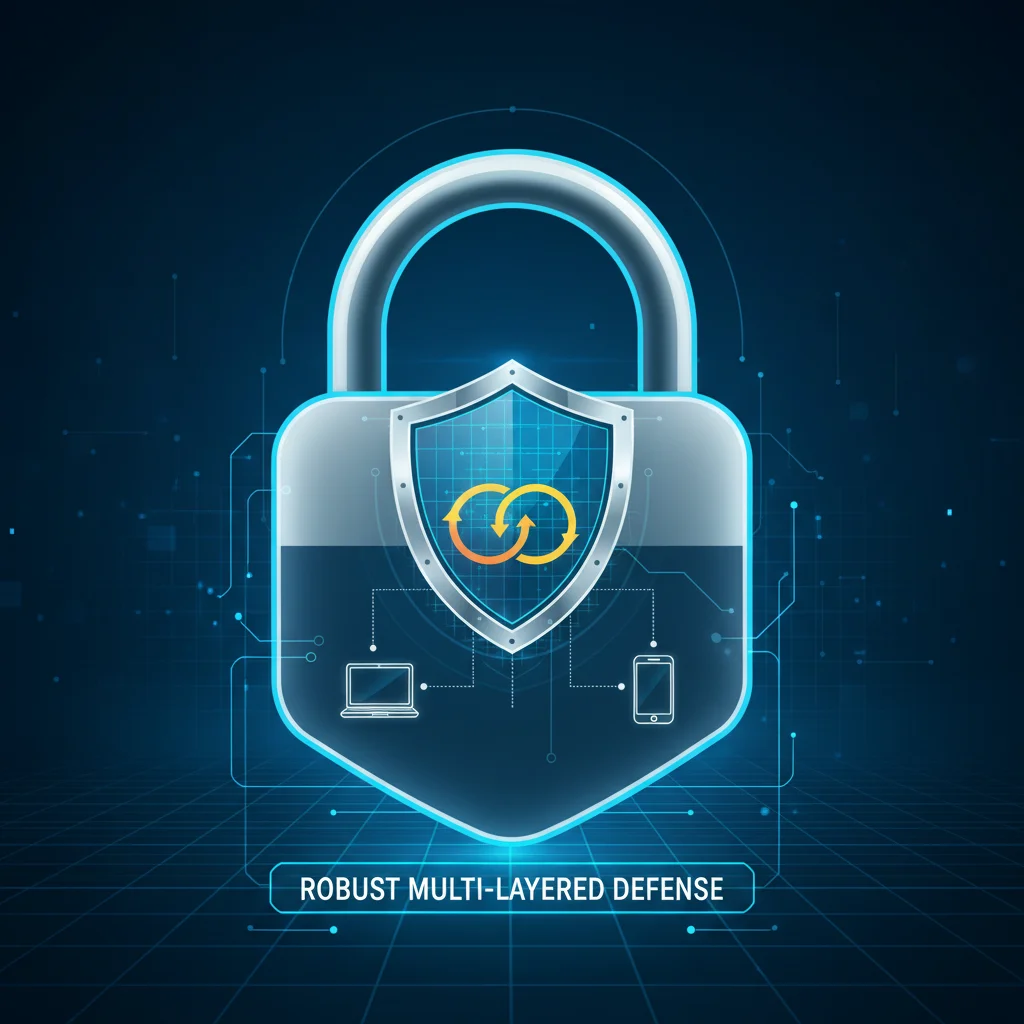
The transition to widespread remote work has undeniably brought flexibility and efficiency, but it has also decentralized the cybersecurity perimeter, placing a greater onus on individual remote workers to be vigilant. As phishing tactics continue to evolve, becoming more sophisticated and personalized, a reactive approach is no longer sufficient. U.S. remote workers must adopt a proactive and multi-layered defense strategy.
By mastering email scrutiny, implementing MFA, maintaining updated software, securing home networks, diligently backing up data, cultivating healthy skepticism, and strictly adhering to company policies, you build an unyielding foundation of Phishing Resilience Remote Workers. These seven steps are not merely best practices; they are essential survival strategies in the digital age. Your personal cybersecurity hygiene directly impacts not only your individual data and privacy but also the security and operational continuity of your entire organization. Stay informed, stay vigilant, and make cybersecurity a continuous priority in your remote work routine.