Advanced Password Management: Boost Your Security by 30% with 4 Expert Strategies for 2026
Anúncios
Advanced Password Management: Boost Your Security by 30% with 4 Expert Strategies for 2026
Anúncios
In an increasingly digital world, the phrase “your data is your most valuable asset” has never been more true. As technology evolves at an unprecedented pace, so do the threats to our online security. Traditional password practices are no longer sufficient to safeguard our digital lives. Welcome to the era of advanced password management, where robust strategies are not just recommended, but absolutely essential. This comprehensive guide will delve into four expert strategies designed to significantly boost your security by up to 30% in 2026 and beyond. By implementing these practices, you’ll not only protect your personal and professional data but also gain peace of mind in a volatile cyber landscape.
The digital frontier is constantly expanding, bringing with it both incredible opportunities and persistent dangers. From sophisticated phishing attacks to large-scale data breaches, the risks are real and ever-present. Many individuals and organizations still rely on weak, reused, or easily guessable passwords, making them prime targets for cybercriminals. This vulnerability is precisely why a paradigm shift towards advanced password management is critical. We’re not just talking about creating stronger passwords; we’re talking about a holistic approach to identity protection that integrates cutting-edge tools, intelligent practices, and a proactive mindset.
The goal of this article is to equip you with the knowledge and actionable steps to elevate your digital defense. We will explore how to move beyond basic security measures and embrace a more sophisticated, layered approach to your passwords. Understanding the nuances of modern cyber threats is the first step, followed by adopting the tools and habits that will make you a much harder target. Get ready to transform your approach to online security and ensure your digital footprint remains secure in the years to come.
The Evolving Threat Landscape: Why Traditional Passwords Aren’t Enough
Before we dive into solutions, it’s crucial to understand the problem. The threat landscape is a dynamic and relentless battleground. Cybercriminals are constantly innovating, developing new techniques to exploit vulnerabilities. Brute-force attacks, dictionary attacks, credential stuffing, and phishing scams are just a few of the common methods used to compromise accounts. The sheer volume of data breaches means that many of our old passwords are likely already compromised and circulating on the dark web. Relying on a single, easy-to-remember password across multiple accounts is akin to leaving the front door to your house wide open while you’re on vacation – an open invitation for trouble.
Anúncios
Furthermore, the rise of artificial intelligence and machine learning is empowering attackers to generate and test passwords at unprecedented speeds. What might have taken weeks for a human to crack can now be done in minutes by a sophisticated algorithm. This technological arms race necessitates a corresponding upgrade in our defensive strategies. Our personal and professional lives are increasingly intertwined with our digital identities, making the consequences of a breach far-reaching, from financial loss and identity theft to reputational damage. This urgency underscores the need for advanced password management techniques that can stand up to these evolving threats.
The shift towards cloud-based services and remote work has also expanded the attack surface. Employees accessing sensitive data from various locations and devices introduce new points of vulnerability. This distributed environment demands a more robust and adaptable security framework, with password protection at its core. It’s no longer enough to simply advise users to create ‘strong’ passwords; we must provide the tools and education to make truly secure practices effortless and ubiquitous. This foundational understanding sets the stage for the practical strategies we will explore.
Strategy 1: Embrace State-of-the-Art Password Managers
The cornerstone of effective advanced password management is undoubtedly a reliable password manager. Gone are the days of scribbling passwords on sticky notes or using insecure browser-based savers. Modern password managers are sophisticated tools designed to generate, store, and auto-fill complex, unique passwords for all your online accounts, all secured by a single, strong master password. This is the first and most impactful step towards boosting your security.
Why Password Managers are Indispensable:
- Strong, Unique Passwords: They generate incredibly complex, random passwords for every single account, eliminating the risk of password reuse. This means if one service is breached, your other accounts remain secure.
- Encryption: Your passwords are stored in an encrypted vault, inaccessible to anyone without your master password.
- Convenience: Auto-filling credentials saves time and reduces frustration, making strong security effortless.
- Cross-Device Sync: Access your passwords securely from any device, anytime.
- Security Audits: Many managers offer features to audit your existing passwords, identifying weak, old, or reused ones and prompting you to update them.
- Secure Sharing: Safely share passwords with trusted individuals or teams without exposing them.
Choosing the Right Password Manager for Advanced Password Management:
With numerous options available, selecting the right password manager requires careful consideration. Look for services that offer:
- Zero-Knowledge Architecture: This means only you can decrypt and access your vault; even the password manager provider cannot.
- Strong Encryption Standards: AES-256 bit encryption is the industry standard.
- Multi-Factor Authentication (MFA) Integration: Essential for securing your master password.
- Independent Security Audits: Regular audits by third-party experts indicate a commitment to security.
- User-Friendly Interface: Ease of use encourages consistent adoption.
- Emergency Access Features: Allows trusted contacts to access your vault in an emergency.
Popular choices include LastPass, 1Password, Bitwarden, and Dashlane. Each offers a unique set of features, so it’s worth exploring a few to find one that best fits your needs. The investment, whether in time or a small subscription fee, pales in comparison to the cost of a data breach. Implementing a password manager is not just a recommendation; it’s a foundational requirement for true advanced password management.
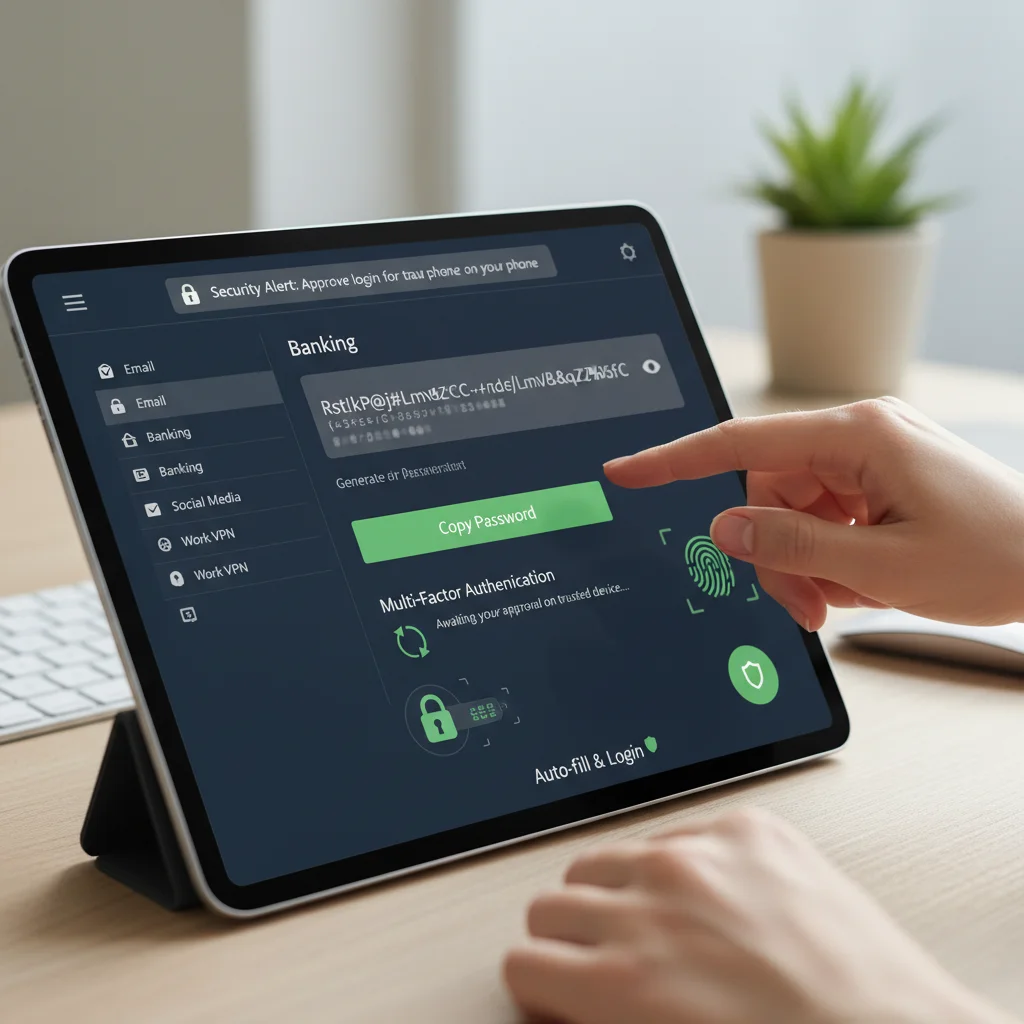
Strategy 2: Implement Universal Multi-Factor Authentication (MFA)
While a strong, unique password is the first line of defense, it should never be the only one. Multi-Factor Authentication (MFA), sometimes referred to as Two-Factor Authentication (2FA), adds a critical layer of security by requiring a second form of verification beyond just your password. This strategy is absolutely paramount for advanced password management, making it exponentially harder for unauthorized users to access your accounts, even if they manage to steal your password.
How MFA Works:
MFA typically involves combining two or more of the following factors:
- Something You Know: Your password.
- Something You Have: A physical token, a smartphone (for an authenticator app or SMS code), or a hardware security key.
- Something You Are: Biometric data, such as a fingerprint, facial scan, or retina scan.
When you enable MFA, after entering your password, you’ll be prompted to provide this second factor. For example, you might enter a code from an authenticator app, tap a notification on your phone, or use a fingerprint scanner. This ensures that even if a hacker has your password, they can’t log in without also possessing your second factor.
Types of MFA for Enhanced Security:
Not all MFA methods are created equal. For truly advanced password management, prioritize these options:
- Authenticator Apps (e.g., Google Authenticator, Authy, Microsoft Authenticator): These generate time-based, one-time passwords (TOTP) that reset every 30-60 seconds. They are generally more secure than SMS codes because they don’t rely on vulnerable cellular networks.
- Hardware Security Keys (e.g., YubiKey, Google Titan): These are physical devices that plug into your computer or connect wirelessly. They offer the highest level of security against phishing because they verify the authenticity of the website you’re trying to log into.
- Biometrics: Fingerprint or facial recognition on devices can be a convenient and secure second factor, especially when integrated with strong device security.
- Push Notifications: Some services send a ‘tap to approve’ notification to your trusted device, which is convenient but can be susceptible to ‘MFA fatigue’ attacks if users approve without thinking.
Avoid relying solely on SMS-based MFA where possible, as SIM-swapping attacks can compromise this method. Your goal should be to enable the strongest available MFA on every single account that offers it – especially for email, banking, social media, and any service containing sensitive personal information. This universal application of MFA is a crucial component of any robust advanced password management strategy, providing a formidable barrier against unauthorized access.
Strategy 3: Regular Password Audits and Proactive Hygiene
Even with the best tools, an element of human vigilance and proactive maintenance is indispensable for advanced password management. Regular password audits and maintaining excellent password hygiene are critical practices that prevent stagnation and address emerging vulnerabilities. Think of it as a cybersecurity spring cleaning that you do throughout the year.
Conducting Regular Password Audits:
A password audit involves reviewing all your online accounts to ensure they meet modern security standards. Many password managers include built-in audit features that can flag:
- Weak Passwords: Passwords that are too short, simple, or easily guessable.
- Reused Passwords: Instances where you’ve used the same password for multiple services.
- Old Passwords: Passwords that haven’t been changed in a significant amount of time (e.g., over a year).
- Compromised Passwords: Passwords that have been identified in known data breaches.
Make it a habit to perform a full audit at least once or twice a year. Prioritize updating any flagged passwords immediately. This proactive approach ensures that any weak links in your security chain are identified and strengthened before they can be exploited. Regularly checking services like Have I Been Pwned (haveibeenpwned.com) can also alert you if your email addresses or passwords have appeared in known data breaches, prompting immediate action to change those credentials.
Proactive Password Hygiene Practices:
- Unique Passwords for Every Account: This is non-negotiable. A password manager makes this effortless.
- Long, Complex Passwords: Aim for at least 12-16 characters, combining uppercase and lowercase letters, numbers, and symbols. The longer and more random, the better.
- Avoid Personal Information: Never use names, birthdates, pet names, or easily discoverable personal details in your passwords.
- Be Wary of Public Wi-Fi: Avoid accessing sensitive accounts on unsecured public Wi-Fi networks. If you must, use a Virtual Private Network (VPN).
- Educate Yourself on Phishing: Learn to recognize phishing attempts. Never click suspicious links or enter your credentials on sites that don’t look legitimate. Always verify the URL.
- Secure Your Master Password: Your master password for your password manager is the key to your digital kingdom. Make it exceptionally strong, unique, and protect it with robust MFA.
- Regular Software Updates: Keep your operating system, web browsers, and all applications (especially your password manager) up to date. Updates often include critical security patches.
- Device Security: Ensure your devices (computers, smartphones) are protected with strong passcodes/biometrics and are regularly scanned for malware.
By integrating these audit and hygiene practices into your routine, you move beyond reactive security to a proactive stance, continuously fortifying your defenses. This ongoing commitment is a hallmark of truly advanced password management.
Strategy 4: Leverage Biometrics and Passwordless Authentication for the Future
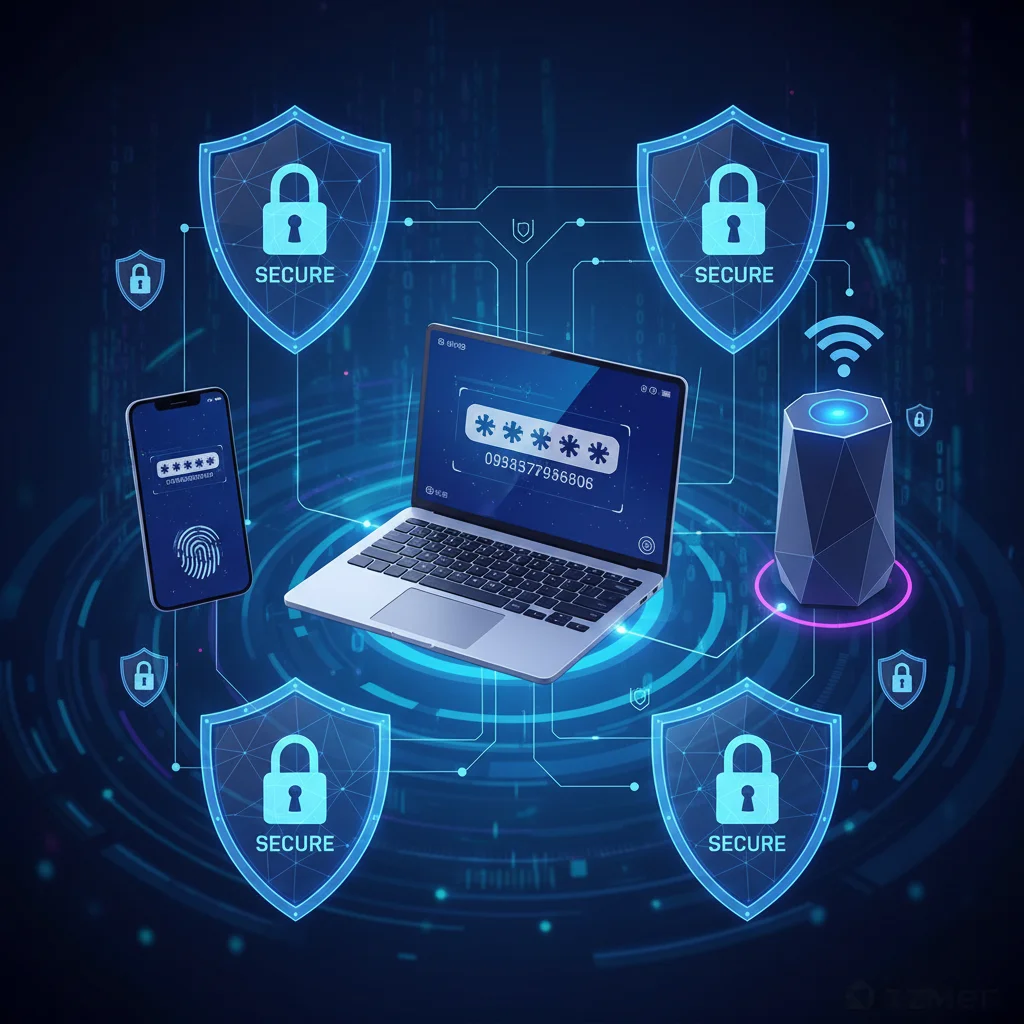
The future of advanced password management is increasingly moving towards a passwordless paradigm, or at least one that heavily integrates biometrics. While traditional passwords will likely remain for some time, the trend is clear: reducing reliance on memorized strings of characters in favor of more secure and convenient authentication methods. Embracing biometrics and exploring passwordless technologies now will position you at the forefront of digital security in 2026 and beyond.
The Power of Biometrics:
Biometric authentication uses unique biological characteristics to verify identity. This includes:
- Fingerprint Scans: Common on smartphones and laptops.
- Facial Recognition: Used in devices like iPhones (Face ID) and many Android phones.
- Iris Scans: Less common in consumer devices but highly secure.
When used as a second factor in MFA, biometrics offer both high security and unparalleled convenience. They are much harder to steal or replicate than a password, and the user experience is often seamless. For instance, unlocking your password manager with your fingerprint or face adds a significant security boost without adding friction to your workflow.
Exploring Passwordless Authentication:
True passwordless authentication aims to eliminate passwords entirely. This is achieved through various methods, often leveraging a combination of biometrics, FIDO (Fast Identity Online) standards, and cryptographic keys. Some examples include:
- FIDO Passkeys: A revolutionary standard that uses cryptographic key pairs unique to your device and the service you’re logging into. They are resistant to phishing, easy to use, and don’t require you to remember anything. Major tech companies like Apple, Google, and Microsoft are heavily investing in passkeys.
- Magic Links/Email Verification: While not truly passwordless in the FIDO sense, some services allow you to log in by clicking a unique link sent to your verified email address. This bypasses a password but relies heavily on your email account’s security.
- Device-Based Authentication: Using your trusted device (e.g., smartphone) as the primary authenticator, often combined with biometrics.
The widespread adoption of passkeys is a game-changer for advanced password management. They address many of the fundamental flaws of traditional passwords, offering superior security against phishing and credential theft. As more websites and services integrate passkey support, transitioning to this method will become a critical strategy for future-proofing your digital security. Start by enabling passkeys wherever available, and familiarize yourself with how they work.
Preparing for a Passwordless Future:
To prepare for this shift, ensure your devices are up-to-date and support the latest biometric and security features. Familiarize yourself with how passkeys work on your operating system (e.g., iOS, Android, Windows, macOS). While the full transition to a passwordless world may take time, proactively adopting these technologies now will significantly enhance your security posture and streamline your authentication processes. This forward-thinking approach is a defining characteristic of effective advanced password management.
Integrating These Strategies for Maximum Impact
Achieving a 30% boost in your digital security isn’t about implementing just one of these strategies; it’s about integrating all four into a cohesive and robust system. Each strategy builds upon the others, creating layers of defense that are incredibly difficult for cybercriminals to penetrate. Let’s briefly recap how they work together:
- State-of-the-Art Password Managers: This forms the bedrock, ensuring every account has a unique, strong password that you don’t need to memorize. It centralizes your credentials securely.
- Universal Multi-Factor Authentication (MFA): This is your critical second line of defense. Even if a password is compromised, MFA prevents unauthorized access, especially when using authenticator apps or hardware keys.
- Regular Password Audits and Proactive Hygiene: This ensures your security remains dynamic and responsive to new threats. It’s the ongoing maintenance that keeps your system strong and identifies vulnerabilities before they can be exploited.
- Leveraging Biometrics and Passwordless Authentication: This is your future-proofing strategy, moving you towards more convenient and inherently more secure authentication methods like passkeys, reducing your reliance on traditional, vulnerable passwords.
Imagine a scenario where a phishing email successfully tricks you into revealing a password. If you’re using a password manager, that password is unique to that one site, limiting the damage. If you also have MFA enabled, the attacker still can’t get in without your second factor. If you’re regularly auditing, you might have already flagged and changed that password. And in the future, with passkeys, such a phishing attack would be ineffective because passkeys are phishing-resistant by design. This layered defense is what truly defines advanced password management.
The Road Ahead: Staying Ahead of Cyber Threats
The digital world is not static, and neither should your security practices be. The principles of advanced password management are not a one-time setup but an ongoing commitment. Staying informed about the latest cybersecurity trends, threats, and technological advancements is crucial. Follow reputable cybersecurity news sources, heed warnings from your password manager, and always be skeptical of unsolicited communications. Your diligence is your greatest asset in the fight against cybercrime.
As we move into 2026 and beyond, the emphasis on user convenience combined with uncompromising security will only grow. Passwordless authentication, particularly FIDO passkeys, is poised to become the dominant method for online identity verification. By adopting these strategies now, you’re not just reacting to current threats; you’re proactively building a resilient digital fortress that can withstand the challenges of tomorrow. Take control of your digital security today, and enjoy the confidence that comes with truly advanced password management.