Securing IoT Devices in Your Home Network: 6 Essential Practices for 2026 Digital Safety

Anúncios
In an increasingly interconnected world, our homes are transforming into smart ecosystems, populated by an ever-growing array of Internet of Things (IoT) devices. From smart thermostats and lighting systems to security cameras and voice assistants, these devices promise convenience, efficiency, and enhanced living. However, with great connectivity comes great responsibility, especially when it comes to safeguarding our digital lives. As we move further into 2026, the landscape of cyber threats continues to evolve, making robust IoT Home Security an absolute necessity.
The proliferation of IoT devices introduces new entry points for cybercriminals, making our home networks potential targets for data breaches, privacy invasions, and even physical security compromises. A single vulnerable smart device can act as a gateway, exposing your entire network and personal information to malicious actors. Therefore, understanding and implementing effective security measures for your IoT devices is no longer optional; it’s a critical component of modern digital safety.
Anúncios
This comprehensive guide will delve into six essential practices for securing your IoT devices and fortifying your home network against the threats of 2026 and beyond. By adopting these strategies, you can enjoy the benefits of your smart home technology with greater peace of mind, knowing your digital perimeter is well-protected.
1. Implement Robust Network Segmentation: Your First Line of Defense
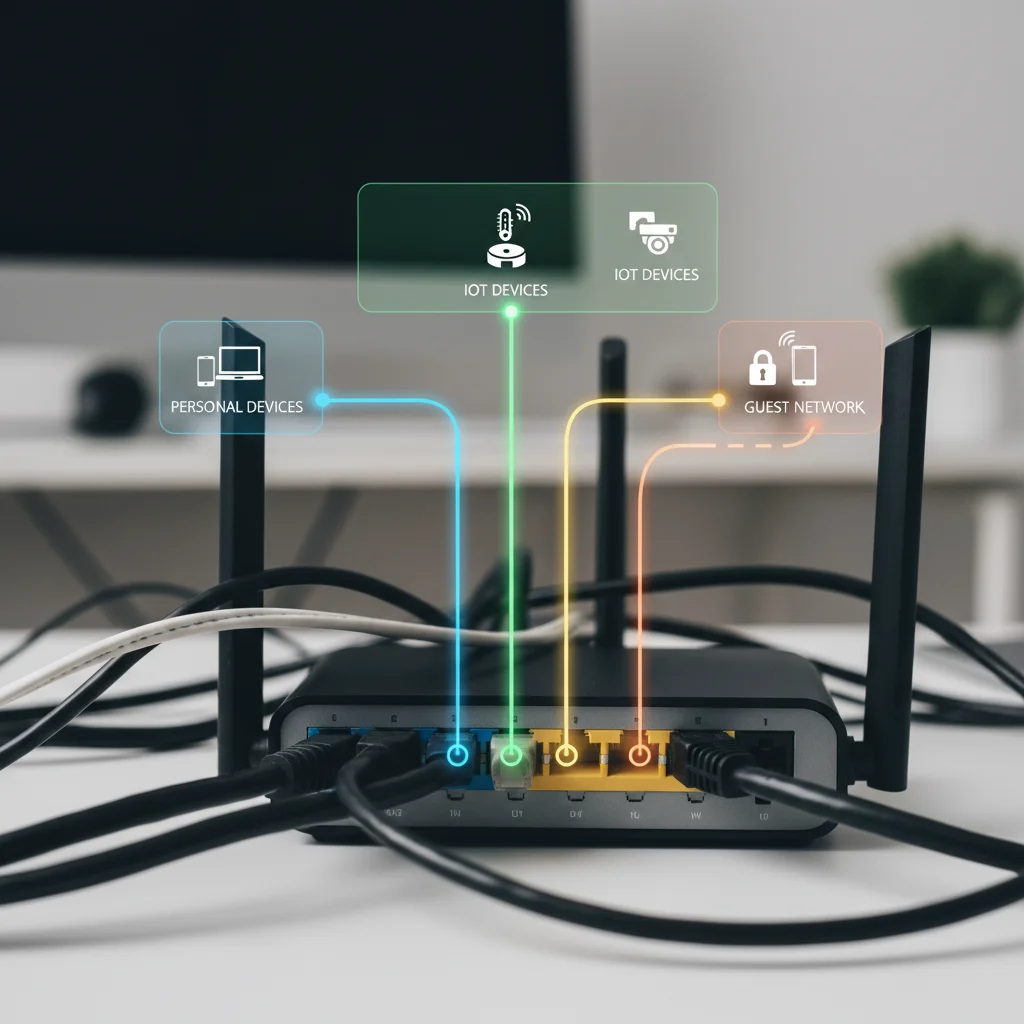
One of the most critical and often overlooked aspects of IoT Home Security is network segmentation. Imagine your home network as a house with many rooms. Would you give a stranger access to all rooms, or just a guest room? Network segmentation applies this logic to your digital environment. It involves dividing your home network into multiple, isolated subnetworks. This means creating a separate network specifically for your IoT devices, distinct from the network used by your personal computers, smartphones, and other sensitive devices.
Why is Network Segmentation Crucial for IoT Home Security?
- Containment of Threats: If an IoT device on a segmented network is compromised, the attacker’s access is limited to that specific segment. They cannot easily move laterally to your main network where your sensitive data (banking information, personal files) resides. This significantly reduces the blast radius of any potential breach.
- Reduced Attack Surface: By isolating IoT devices, you minimize the number of devices directly exposed to your primary network and the internet. Many IoT devices have weaker security protocols or known vulnerabilities, making them easier targets. Separating them protects your more secure devices.
- Improved Performance: Some IoT devices can be chatty, constantly communicating with cloud services. Isolating them can prevent them from consuming bandwidth on your main network, potentially improving performance for your essential activities like streaming or online gaming.
How to Implement Network Segmentation:
The most common way to achieve network segmentation in a home environment is by utilizing a router with VLAN (Virtual Local Area Network) capabilities or by setting up a guest Wi-Fi network. While guest networks are simpler to configure, they often offer less granular control than VLANs.
Anúncios
- Guest Wi-Fi Network: Most modern routers offer a guest Wi-Fi option. Enable this feature and connect all your IoT devices to it. Ensure that the guest network is configured to prevent devices on it from accessing devices on your main network. While basic, this offers a decent level of separation.
- VLANs (Virtual Local Area Networks): For more advanced users, VLANs provide a more robust and customizable solution. A VLAN allows you to logically segment your network on a single physical router. You can create a dedicated VLAN for your IoT devices, another for your personal devices, and perhaps one for guests. This requires a router that supports VLANs and some technical know-how to configure.
- Dedicated IoT Routers/Gateways: Some manufacturers offer routers specifically designed for IoT security, which often include built-in segmentation features or dedicated IoT networks. These can be a good option for those seeking a simpler, more automated solution.
When segmenting your network, ensure that only necessary traffic can pass between segments. For instance, your smartphone might need to communicate with your smart lights, but your smart lights likely don’t need to access your home server. Configure firewall rules accordingly to restrict inter-segment communication to only what is absolutely essential.
2. Employ Strong, Unique Passwords and Multi-Factor Authentication (MFA)
This advice might sound elementary, but it remains one of the most fundamental pillars of any effective IoT Home Security strategy. Default passwords are a hacker’s best friend. Many IoT devices come with easily guessable default credentials (e.g., ‘admin/admin’, ‘user/password’, ‘123456’). Cybercriminals actively scan for devices using these defaults, as they represent an effortless entry point into your network.
The Power of Strong Passwords:
- Uniqueness: Every single IoT device, along with its associated app and cloud service, should have a unique, strong password. Reusing passwords is like using the same key for your front door, car, and safe deposit box – a compromise of one means a compromise of all.
- Complexity: A strong password is long (at least 12-16 characters), and a mix of uppercase and lowercase letters, numbers, and special characters. Avoid using easily discoverable personal information (birthdays, pet names).
- Password Managers: Given the sheer number of passwords required, a reputable password manager is invaluable. It can generate strong, unique passwords and store them securely, eliminating the need to remember them all.
The Indispensable Layer of Multi-Factor Authentication (MFA):
Even the strongest password can be compromised through phishing, keyloggers, or data breaches. This is where Multi-Factor Authentication (MFA) steps in as a critical second line of defense. MFA requires you to provide two or more verification factors to gain access to an account. This typically involves something you know (your password), something you have (a phone for a one-time code, a hardware token), or something you are (a fingerprint or facial scan).
For IoT Home Security, enable MFA wherever it’s offered. Many IoT device manufacturers now support MFA for their associated mobile apps or web portals. This extra layer of security significantly reduces the risk of unauthorized access, even if an attacker manages to obtain your password. Always check the settings of your IoT devices and their accompanying apps for MFA options and enable them immediately.
3. Keep Firmware and Software Updated: Patching Vulnerabilities
Just like your computer’s operating system or smartphone apps, IoT devices run on firmware – specialized software embedded within the device. Manufacturers regularly release firmware updates to fix bugs, improve performance, and, most importantly, patch security vulnerabilities. Neglecting these updates leaves your devices exposed to known exploits that cybercriminals are constantly scanning for.
Why Regular Updates are Vital for IoT Home Security:
- Vulnerability Patches: Security researchers and hackers constantly discover new vulnerabilities in software. Manufacturers release updates to fix these flaws. Without updates, your devices are like a house with an open window, inviting intruders.
- New Security Features: Updates can also introduce new security features or improve existing ones, enhancing the overall protection of your device and network.
- Performance and Stability: While security is paramount, updates also often bring performance improvements and bug fixes, leading to a more stable and reliable smart home experience.
How to Manage Firmware Updates:
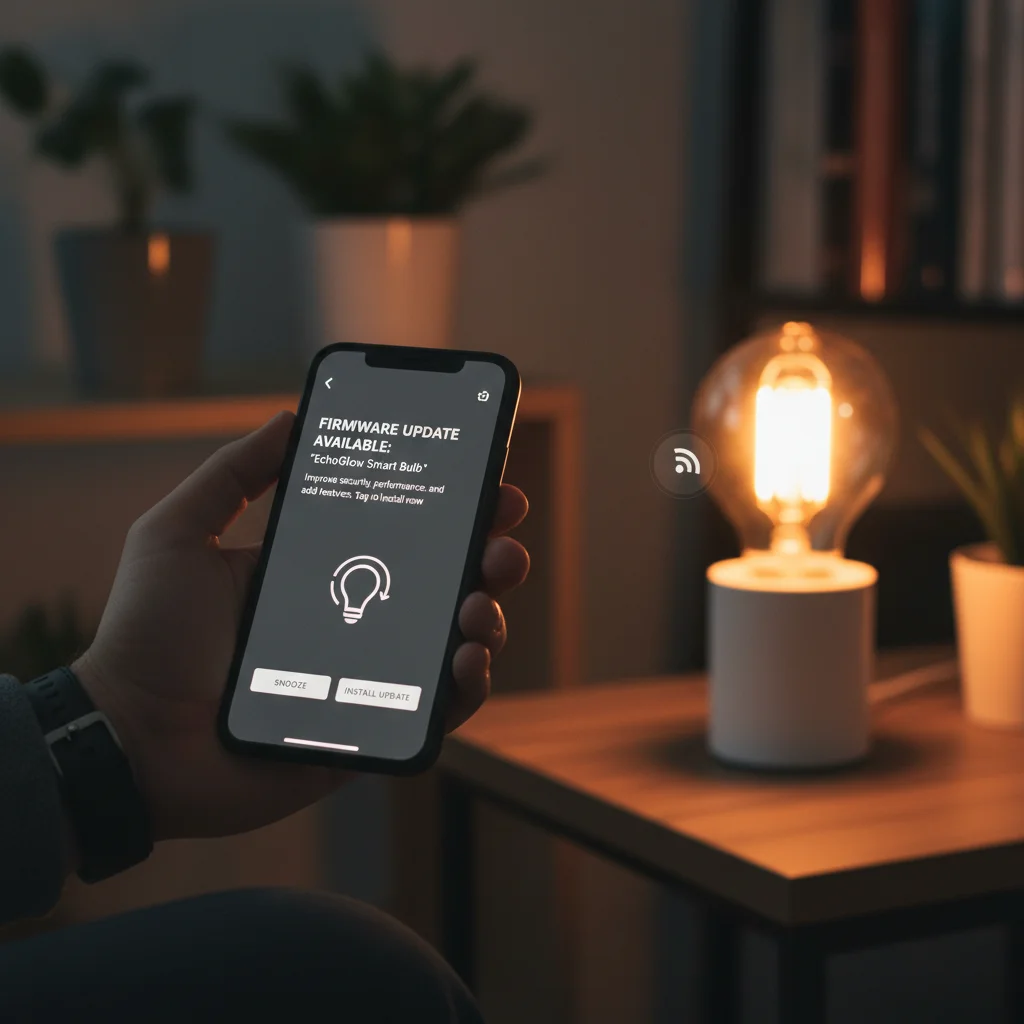
- Enable Automatic Updates: Wherever possible, enable automatic firmware updates for your IoT devices. This ensures that your devices are always running the latest, most secure version without requiring manual intervention. Be aware that some updates might require a device reboot.
- Regularly Check for Manual Updates: For devices that don’t support automatic updates, make it a habit to periodically check the manufacturer’s website or the device’s companion app for available firmware updates. Schedule a monthly or quarterly reminder to perform these checks.
- Understand the Update Process: Familiarize yourself with how each of your IoT devices receives updates. Some update through their mobile app, others through a web interface, and some might require downloading a file and manually installing it via a USB drive.
- Research Before Updating: While rare, some updates can introduce new issues. It’s wise to do a quick online search for any reported problems after a new firmware version is released, especially for critical devices, before applying the update. However, do not delay critical security updates.
4. Review and Restrict Device Permissions and Data Sharing
Many IoT devices, especially those with advanced functionalities, request a wide range of permissions during setup. These can include access to your location, microphone, camera, contacts, and even other devices on your network. While some permissions are necessary for the device to function, others might be excessive and pose a privacy risk. A critical aspect of effective IoT Home Security is to scrutinize and restrict these permissions.
Understanding Permissions and Data Sharing:
- Excessive Permissions: Just because an app or device asks for a permission doesn’t mean it needs it. For example, why would a smart light bulb need access to your microphone or contacts? Always question requests that seem unrelated to the device’s core function.
- Data Collection: IoT devices often collect vast amounts of data about your usage patterns, environment, and even personal habits. This data is typically sent to the manufacturer’s cloud servers. While some data collection is necessary for functionality (e.g., smart thermostat learning your preferences), excessive or unclear data collection practices can be a privacy nightmare.
- Third-Party Integrations: Many IoT ecosystems allow integration with third-party services (e.g., linking your smart speaker to a music streaming service). Each integration can open another avenue for data sharing and potential privacy concerns.
How to Manage Permissions and Data Sharing:
- Read Privacy Policies: Before purchasing or setting up a new IoT device, take the time to read its privacy policy. Understand what data it collects, how it’s used, and whether it’s shared with third parties. If a policy is vague or raises red flags, reconsider the purchase.
- Grant Minimal Permissions: During setup, carefully review all permission requests. Grant only those that are absolutely essential for the device to function. If you’re unsure, start by denying the permission and see if the device still works. You can often adjust permissions later in the device’s settings or companion app.
- Disable Unnecessary Features: Many IoT devices come with features you might never use (e.g., remote access for a device you only control locally). Disable these unnecessary features, as each one can represent a potential security vulnerability.
- Review App Settings Regularly: Periodically check the settings of your IoT device’s companion apps on your smartphone. Permissions can sometimes be reset or new ones added with app updates.
- Consider Local Control: For some devices, it’s possible to configure them for local control, meaning they don’t need to communicate with external cloud servers. This significantly enhances privacy and reduces your reliance on manufacturer security.
5. Disable UPnP and Other Unnecessary Network Services
Your router and many network-connected devices come with various services enabled by default, some of which can pose significant security risks if not properly managed. Universal Plug and Play (UPnP) is a prime example. While designed for convenience, allowing devices to automatically discover and communicate with each other on a network, UPnP has a long history of security vulnerabilities.
The Risks of UPnP and Other Open Ports:
- Automatic Port Forwarding: UPnP can automatically open ports on your router to the internet without your explicit consent or knowledge. This effectively creates direct pathways into your home network, bypassing your firewall and making your devices accessible to external attackers.
- Malware Exploitation: Malware on a compromised IoT device can use UPnP to open ports, allowing attackers to establish remote access or launch further attacks from within your network.
- Device Discovery: While convenient, the discovery aspect of UPnP can sometimes expose information about your devices to unauthorized parties on the local network.
How to Enhance IoT Home Security by Disabling Services:
- Disable UPnP on Your Router: Access your router’s administration interface (usually by typing its IP address into a web browser, e.g., 192.168.1.1). Navigate to the UPnP settings and disable it. Most home users do not need UPnP, and disabling it significantly enhances your network security. If you have specific applications that require port forwarding (e.g., for gaming or remote access to a specific server), configure these manually and only for the necessary ports and internal IP addresses.
- Review Port Forwarding Rules: If you have manually configured port forwarding, regularly review these rules. Ensure that only essential ports are forwarded and that they point to the correct internal IP addresses. Delete any old or unnecessary rules.
- Disable Remote Management: Many routers offer a ‘remote management’ feature that allows you to access your router’s settings from outside your home network. While convenient, this also creates a potential attack vector. Unless absolutely necessary, disable remote management. If you need it, ensure it’s protected by a very strong password and ideally, restrict access to specific IP addresses.
- Review Device-Specific Services: Some IoT devices might have their own network services enabled by default (e.g., an unencrypted web server for configuration). Investigate each device’s settings and disable any services that are not critical for its operation.
6. Monitor Your Network and Be Wary of Unknown Devices
Even with the best preventative measures, vigilance is key to maintaining robust IoT Home Security. Your home network is a dynamic environment, with devices constantly connecting and disconnecting. Regularly monitoring your network can help you detect suspicious activity or unauthorized devices before they can cause significant harm.
Why Network Monitoring is Essential:
- Detecting Intruders: Monitoring can help you identify if an unauthorized device has connected to your network, which could indicate a compromised Wi-Fi password or a physical breach.
- Identifying Malicious Activity: Unusual network traffic patterns from an IoT device (e.g., a smart camera sending large amounts of data to an unknown external server) could signal a compromise.
- Inventory Management: Keeping an up-to-date inventory of all devices connected to your network is crucial for security. You can’t secure what you don’t know you have.
How to Monitor Your Home Network:
- Regularly Check Your Router’s Connected Devices List: Most routers have an interface that displays a list of all currently connected devices, often showing their MAC addresses and IP addresses. Periodically review this list. If you see an unfamiliar device, investigate it immediately.
- Use Network Scanning Tools: Tools like Fing (available as a mobile app) can scan your network and provide a detailed list of all connected devices, often identifying their type and manufacturer. This makes it easier to spot anomalies.
- Consider Network Monitoring Software: For more advanced users, dedicated network monitoring software (often open-source) can provide deeper insights into network traffic, helping to detect unusual activity.
- Be Aware of Physical Security: Don’t forget the physical aspect of security. Ensure your router is in a secure location, not easily accessible to strangers. If you have outdoor IoT devices (e.g., security cameras), ensure they are physically secured and tamper-resistant.
- Educate Household Members: Ensure everyone in your household understands the importance of strong passwords, not connecting unknown devices, and being cautious about suspicious emails or links. A chain is only as strong as its weakest link.
- Regularly Back Up Important Data: While not directly an IoT security measure, regular backups of your important data (documents, photos) are a crucial part of an overall digital safety strategy. In the event of a ransomware attack or data loss due to a network compromise, backups can be a lifesaver.
The Future of IoT Home Security: Staying Ahead of the Curve
As we navigate 2026 and beyond, the landscape of IoT Home Security will continue to evolve. Artificial intelligence and machine learning are increasingly being integrated into home security systems to detect anomalies and predict threats. Regulatory bodies are also pushing for stricter security standards for IoT device manufacturers, which should lead to more secure products hitting the market.
However, the ultimate responsibility for securing your home network rests with you. By diligently implementing the six essential practices outlined in this guide – robust network segmentation, strong unique passwords with MFA, timely firmware updates, careful permission management, disabling unnecessary services, and active network monitoring – you can significantly bolster your digital defenses. Embracing these proactive measures will not only protect your privacy and data but also ensure that your smart home remains a source of convenience and comfort, rather than a gateway for cyber threats.
Stay informed, stay vigilant, and make IoT Home Security a priority in your connected life. The peace of mind that comes with a secure smart home is invaluable in our increasingly digital world.